
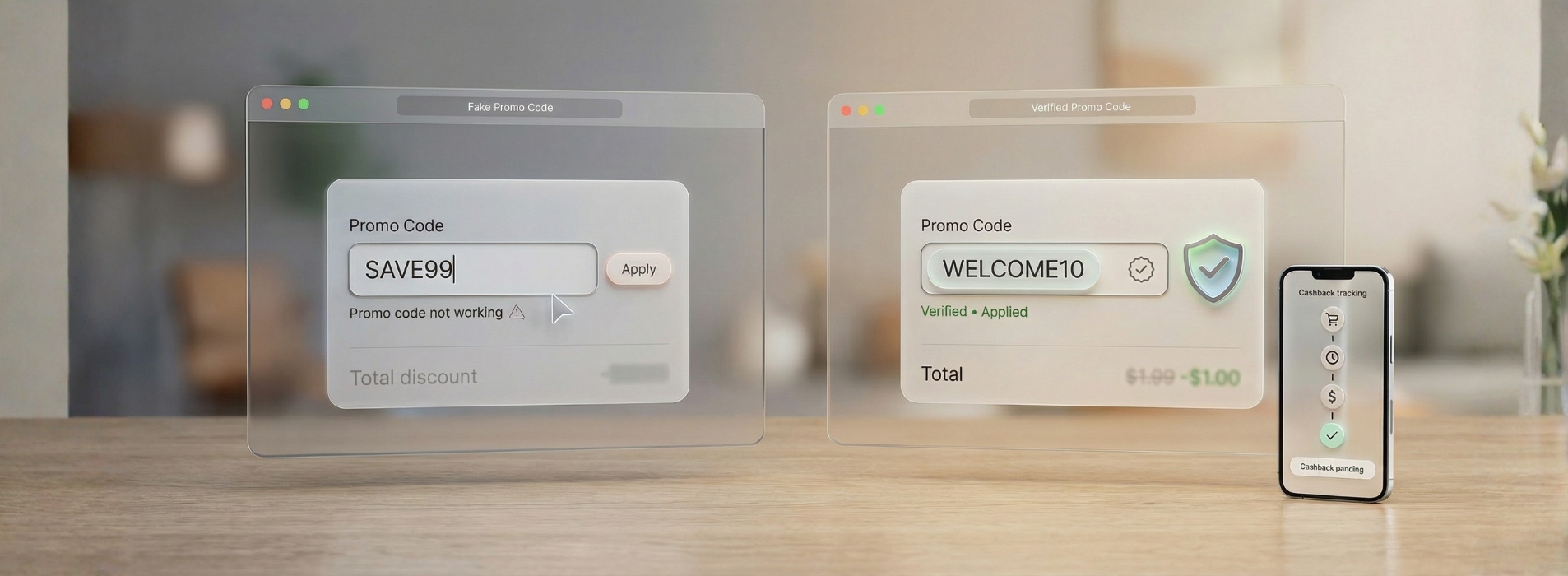
Fake coupon codes show up everywhere especially on social media and “free promo code” websites. Sometimes they only waste your time. Other times, they trick you into giving away personal or payment information.
This guide helps U.S. shoppers who search things like “is this coupon legit,” “fake coupon codes,” “coupon code not working,” and “cash back not tracking.” You’ll learn how to save money safely.
Quick Safe Savings Checklist (Use This Every Checkout)
Follow this order every time:
- Start with a trusted source
Use the retailer’s website banner, the retailer’s email/SMS, or the cash back platform you use. Don’t trust random “code generator” pages. - Turn on cash back first
Click the store link inside your cash back platform before you shop. Click-through matters. Some platforms warn that unapproved codes can cancel your cash back. - Use one promo code at checkout
Try one code. If it fails, fix the problem (see below). Don’t test many codes. - Avoid sketchy install prompts
Don’t install unknown apps or extensions to “unlock” a code. Avoid pages that ask for risky permissions. - Save proof
Keep your order confirmation and order number. You may need them for missing cash back or support.
Why Fake Coupon Codes Exist
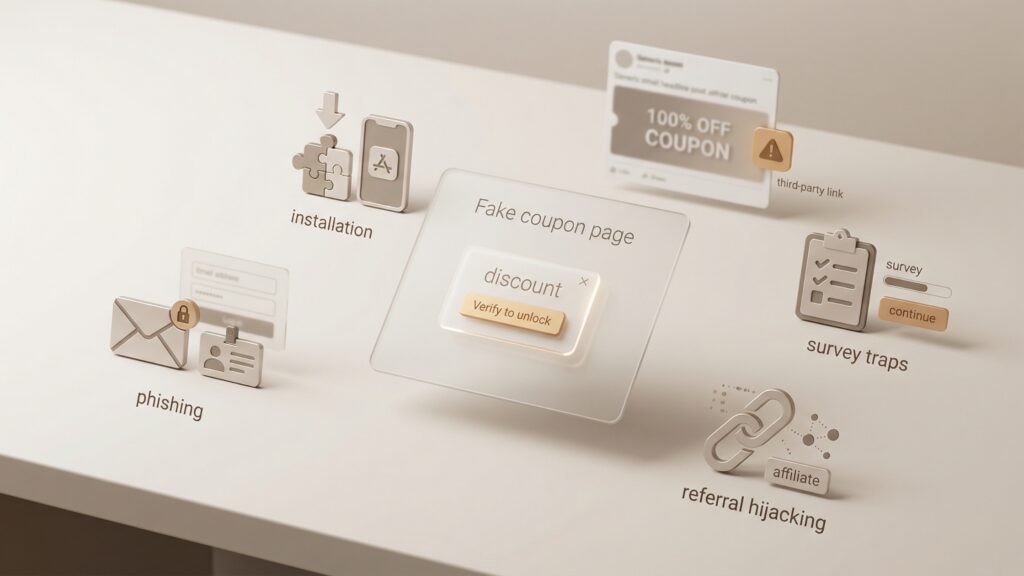
Scammers create fake coupon pages to make money in these ways:
- Steal your info (phishing): They ask you to “verify” to get the discount.
- Get you to install something: They push apps or extensions that track you or harm your device.
- Trap you in surveys: They promise a code after a survey, but you never get a real discount.
- Hijack referrals: They try to earn credit from your purchase even if the code fails.
BBB warns that fake retail coupons often spread on social media and push people to third-party pages that ask for information. (bbb.org)
Where Real Promo Codes Usually Come From
Real promo codes usually come from:
- Retailer sales (homepage banners, seasonal deals)
- Email/SMS signup offers (like “10% off your first order”)
- Authorized partners (official affiliate or cash back offers)
- Verified discounts (student/military/teacher programs)
Real offers usually include rules like a minimum spend, exclusions, or an end date. If a code claims “works on everything” with no rules, treat it as suspicious.
How to Spot Fake Coupons Fast (15 Red Flags)
A) The deal sounds unreal
- Huge discounts for a big brand
- “Unlimited uses” or “works on all items”
- “Secret VIP code leaked”
- “Free $100 coupon” posts
B) The page pushes you to “unlock” the code
- “Install this extension/app to reveal the code”
- “Allow notifications to see the discount”
- Download links outside official stores
- Too many popups, redirects, or fake countdown timers
C) The page asks for sensitive info
- “Enter card details to verify”
- “Pay $1 to unlock your coupon”
- Any request for OTP/2FA codes
- “Log in to your retailer account here” on a third-party page
D) The site looks wrong
- Misspelled brand URL
- No real contact info or policies
- The same code list appears on many random sites
Quick check: Search the deal with the word “scam” (example: “Nike coupon scam”). BBB recommends this approach for suspicious offers.
“Promo Code Not Working” (Quick Fixes)
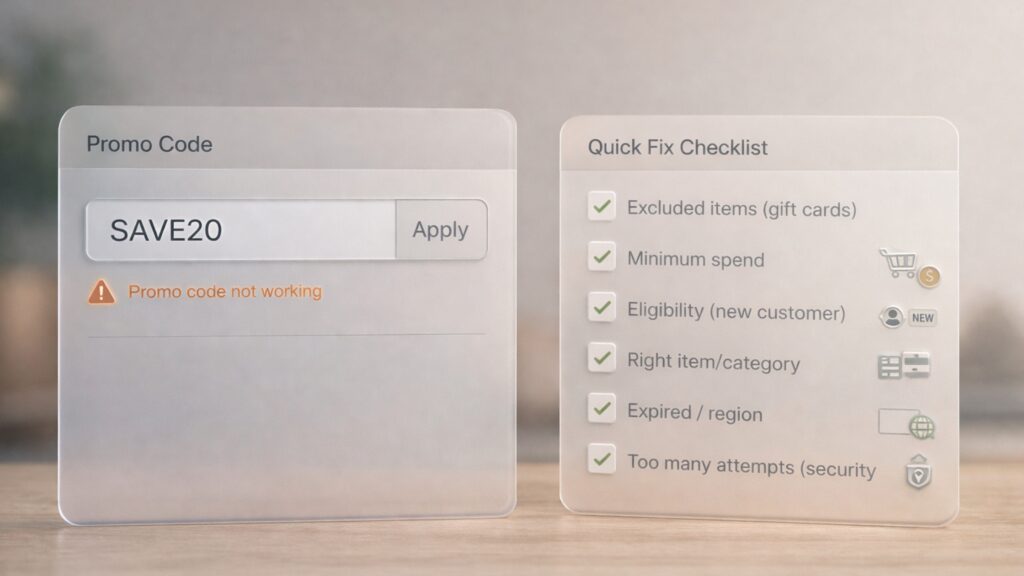
If your promo code doesn’t work, try this:
- Remove excluded items (gift cards often don’t qualify)
- Check the minimum spend
- Check eligibility (new customers only, app-only, one-time use)
- Make sure you use the right category/item
- Check if the code expired or only works in another country
- Stop after a few tries (too many attempts can trigger security checks)
Coupon Scams on Social Media (The Biggest Trap)
This scam works like this:
- You see a “free coupon” post
- You click it and land on a third-party page
- The page asks for info, downloads, or notifications
- You never get a real coupon
Bitdefender describes coupon scams as fake coupons shared through social posts, emails, fake websites, and apps to steal data. (bitdefender.com)
Can You Use Cash Back and a Promo Code Together?
Yes, often.
Use this order:
- Activate cash back first (click the store link in the platform)
- Apply one promo code at checkout
Example:
- $100 item
- 20% off → $80
- 10% cash back on $80 → $8 back
- Total savings: $28
Important: Some platforms warn that codes not listed/approved by them can cancel your cash back.
“Cash Back Not Tracking” (What Usually Causes It)
Cash back may not track if you:
- Forget to start from the cash back click-through link
- Use an ad blocker or privacy tool that blocks tracking
- Use a VPN
- Switch tabs or devices during checkout
- Click another coupon site after you activate cash back
- Use a promo code the store does not allow with cash back
Cash back help pages often list ad blockers, VPNs, and browser settings as common tracking problems.
What to do now
- Save your order confirmation and order number
- Wait for “pending” (some stores report later)
- If it never shows up, file a missing cash back claim with proof
Next time: do a “clean checkout”
- Use one browser and one session
- Activate cash back first
- Avoid switching tabs/devices
- Reduce blockers/VPN if you feel comfortable and trust the site
If You Clicked a Suspicious Coupon Link
Do this right away:
- Close the tab
- Change your password if you typed it in
- Remove any extension/app you installed and scan your device
- Watch your card/bank for unknown charges
1) What are fake coupon codes?
Fake coupon codes do not work at checkout. They also send you to scam pages like surveys, downloads, or “verify your card” screens.
2) Is this coupon legit? How can I tell fast?
A legit coupon shows clear terms like an expiry date, minimum spend, and exclusions. It does not ask for downloads, surveys, or payment verification. If a code says “90% off everything” and shows no terms, treat it as suspicious.
3) How do I avoid coupon scams?
Avoid unknown “unlock coupon” pages. Do not install random extensions. Never share your card details, OTP/2FA codes, or login details to get a coupon.
4) Why is my coupon code not working / promo code not working?
Your code may be expired. You may not meet the minimum spend. Your cart may include excluded items like gift cards or bundles. The store may limit the code to new customers only.
5) Is a coupon code generator real or usually a scam?
Most coupon code generators run scams or clickbait. Retailers and authorized partners create real promo codes. Generators do not create real codes.
6) Why is my cashback not tracking / cash back not showing up?
Ad blockers or VPNs can block tracking. Multiple tabs can break tracking. Device switching can break tracking. Clicking another coupon site after you activate cash back can also stop tracking.
7) What does cashback pending mean?
“Pending” means the retailer received your order, but it has not approved it yet. Retailers often wait until the return window ends.
8) Can you stack coupons and cashback / use cashback with coupon codes?
You can often stack both. Some stores allow cash back only with approved codes. Activate cash back first, then use one verified code at checkout.